

Choose your HEIC file
Select a .heic or .heif file from your computer, iPhone export, or downloaded attachment.
Private HEIC viewer
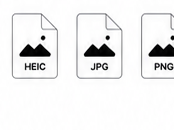
Preview and convert HEIC images to JPG or PNG online. 100% private. No upload. Works on any device.
or click to choose a file
How it works
Select a .heic or .heif file from your computer, iPhone export, or downloaded attachment.

Your HEIC image is decoded locally in your browser. Confirm the preview and dimensions.

Download a JPG for universal compatibility or PNG for higher quality when you need it.



Your files never leave your device.
HEIC is an image format commonly used by Apple devices for photos. It can keep good image quality with smaller file sizes, but some apps still do not support it.
No. The selected HEIC or HEIF file is decoded in your browser session. The tool does not need a server upload to preview or export the file.
Yes. After the preview is ready, use the JPG or PNG download buttons to create a more widely supported copy.
Choose JPG for broad compatibility. Choose PNG when you want a lossless copy for documentation, screenshots, or design workflows.
The browser-side decoder is separate from Windows Photos or the Microsoft HEVC extension. Final compatibility still depends on the browser and HEIC variant.
No. This is a viewer and export helper, not a photo repair tool.